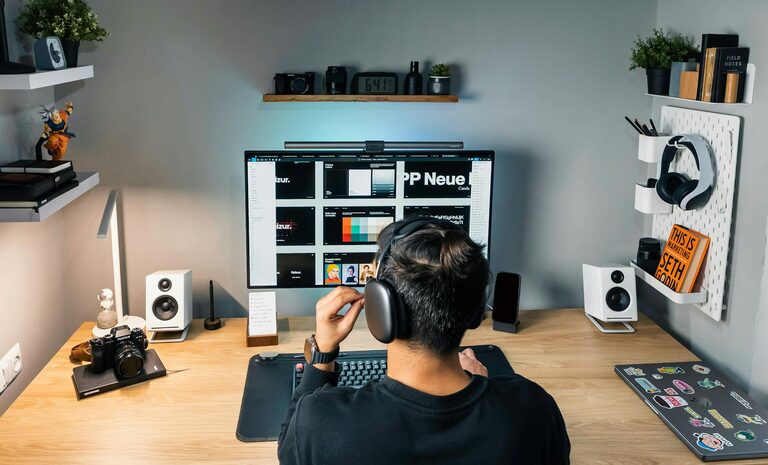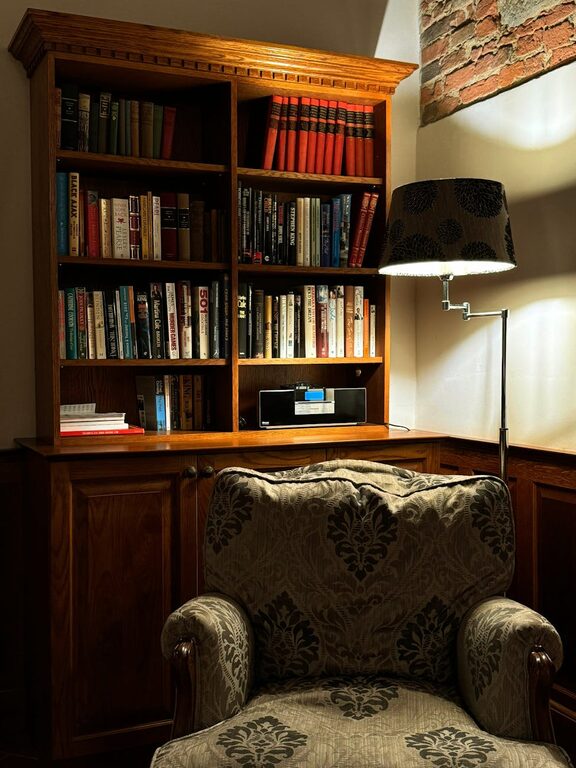
Creating a clutter-free workspace is more than just a matter of aesthetics; it can significantly improve your focus, reduce stress, and boost productivity. Whether you work from home or in an office, a tidy and organized environment helps you approach tasks with clarity and purpose. In this post, we’ll explore practical tips to help you organize a clutter-free workspace that supports your best work.
Why a Clutter-Free Workspace Matters
A cluttered desk or workspace can make it harder to concentrate and find important items when you need them. Visual distractions impair your brain’s ability to focus on the task at hand. Additionally, a messy workspace can cause unnecessary stress and reduce motivation.
By keeping your workspace organized and minimal, you create a calming environment that invites productivity and creativity. Let’s explore how you can achieve this.
Step 1: Clear Your Desk Completely
Start by removing everything from your desk. This allows you to start fresh and decide what truly belongs on your workspace.
– Wipe down the surface to remove dust and grime.
– Sort items into categories: keep, relocate, and discard.
– Only keep essential items on your desk.
Step 2: Limit Items to Essentials
A clutter-free workspace has only what you absolutely need within reach.
– Keep frequently used tools such as your computer, notebook, and pens.
– Store less-used items in drawers or cabinets.
– Avoid collecting unnecessary paperwork; consider digital storage options.
Step 3: Use Smart Storage Solutions
Implementing effective storage options helps keep your desk tidy.
– Use drawer organizers to separate office supplies.
– Utilize vertical space with shelves for books and binders.
– Employ cable organizers to manage cords and chargers.
– Consider clear containers or labeled boxes for easy identification.
Step 4: Manage Paperwork Efficiently
Paperwork is one of the biggest sources of clutter. Simplify your system to stay organized.
– Set up an inbox tray for incoming papers.
– Allocate a “to-do” folder for items you must act on.
– Regularly recycle or shred documents you no longer need.
– Use apps to scan documents and reduce physical paper pile-ups.
Step 5: Personalize Thoughtfully
A workspace should feel inviting but not overwhelming.
– Limit decorations to a few meaningful items such as a photo or small plant.
– Choose calming colors or inspiring art to enhance mood.
– Avoid excessive knick-knacks that take up space or cause distraction.
Step 6: Create a Routine for Maintenance
A clutter-free workspace requires ongoing care.
– Spend 5 minutes at the end of each day tidying up your desk.
– Review your supplies periodically and remove excess.
– Continually assess your organization system and tweak as needed.
Step 7: Optimize Your Workspace Layout
Position your desk and equipment to improve comfort and efficiency.
– Keep frequently used items within arm’s reach.
– Arrange your monitor at eye level for good posture.
– Ensure there is enough lighting to reduce eye strain.
– Maintain a clear area for writing or other manual tasks.
Benefits Beyond Productivity
Organizing your workspace can also boost creativity by reducing mental clutter. It encourages you to establish habits of discipline and prioritization that carry over to other areas of your work life.
Final Thoughts
Creating and maintaining a clutter-free workspace is a simple yet impactful step toward better productivity. By applying these tips, you can transform your working environment into a calm and efficient space that helps you perform at your best every day.
Remember, the key is consistency and a willingness to adapt your space to your changing needs. Happy organizing!
About the Author